


Best WooCommerce Shipping Plugins for 2022
Are you looking for some of the best WooCommerce shipping plugins that will help you configure your shipping methods in no time? Shipping and billing are core parts of online business management and might get difficult to manage in some circumstances. They get even more complicated with various customs, differences in packages, order variations, package weighing, and so on.
This is why we have selected some of the best plugins in this article to help you provide accurate shipping prices for your customers.
Why and When to use WooCommerce Shipping Plugins?
First, let’s clarify why you should consider using a WooCommerce shipping plugin. As we all know, setting up WooCommerce Shipping isn’t exactly that easy. You need to set up shipping methods that provide you with accurate rates based on which services you use to ship your products. Of course, this is a lot easier said than done since WooCommerce itself has very limited options in terms of shipping methods and variance in shipping charges.
Moreover, good businesses consider changing shipping charges based on how many products a customer buys. They even provide free shipping if the cart total is over a certain limit. Others may function in large regions, maybe even globally, and need to account for different shipping rates, taxes, additional handling fees, etc.
This is where WooCommerce shipping plugins come in. These plugins let you add conditional pricing so you can restrict/allow free shipping, different shipping methods, or payment methods using different rules that can work together. These rules use your customer’s checkout inputs so they can change dynamically to your customer’s shipping and billing details.
Some of these plugins even let you integrate your website with your shipping service’s API. This can provide your customers with regular updates on shipping, tracking numbers, and more. You can even choose to add delivery dates to your customer’s orders and emails if you’d like.
Each plugin might have something different to provide. But the overall gist is to help you account for different order values that you might take and let you provide unique benefits to customers to make sure they purchase more while still minimizing losses you might take from large shipping fees.
So, let’s take a look at some of these plugins and what each one brings to the table.
The Best WooCommerce Shipping Plugins for 2022
Our list of the best WooCommerce shipping plugins includes the following
- Flexible Shipping
- WooCommerce Weight-Based Shipping
- WooCommerce Advanced Free Shipping
- Table Rate Shipping
- ELEX EasyPost Free
- AfterShip WooCommerce Tracking
- WooCommerce Conditional
We’ll go through each of these plugins on what they offer along with their features and pricing options.
1) Flexible Shipping
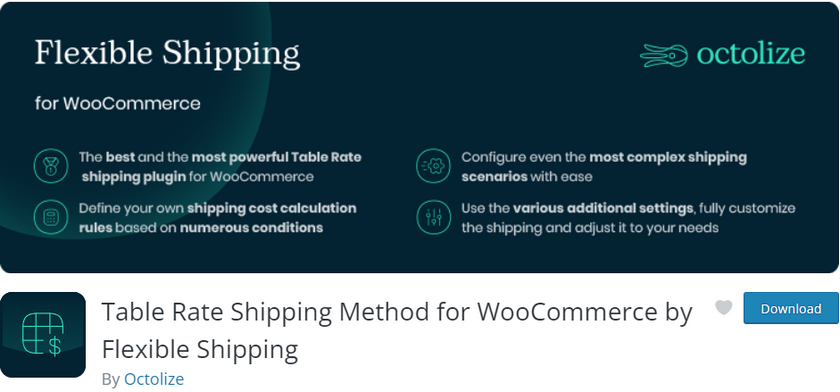
Flexible Shipping is one of the best plugins to adjust your shipping costs according to your WooCommercec cart total and total cart weight. It enables you to add different shipping methods and set up the total cart value depending on any type of complex shipping rules. You can even increase the cart value conditionally when your customers purchase more products to the cart or add free shipping for carts over a certain value.
The plugin also lets you define different rules for cart total and cart weight and sum up the costs. Additionally, you can also configure the plugin to use various shipping methods based on product type, and categories. It can also provide different shipping options to the logged-in users of your online store.
The premium version of the plugin adds even more features such as shipping class support and flexible shipping based on product quantity, dimensions, volume, product tags, and categories. You can also add different shipping methods for different times of day and days of the week. On top of that, conditional logic can also be applied to your shipping methods as well as shipping coupon support.
Key features:
- Multiple shipping methods based on cart weight and cart value.
- Options to customize various rules to provide different shipping methods/costs.
- Change shipping methods based on product details, weight, user roles, etc,
- WPML And PolyLang compatible
- Automatic notifications for shipping zone config conflicts.
Price:
Flexible Shipping is a freemium plugin. The pro version costs 89 USD per year with 1 site license and 1 year of support and updates.
2) WooCommerce Weight-Based Shipping
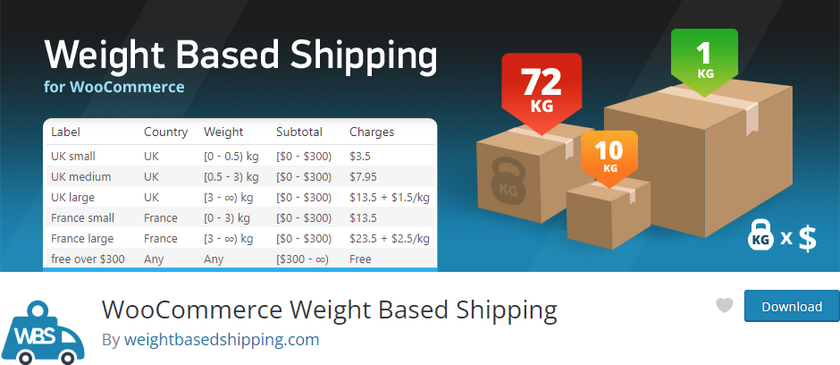
WooCommerce Weight-Based Shipping is one of the best WooCommerce shipping plugins that provide you with flexible shipping options specifically based on your customer’s cart weight. the plugin lets you create unlimited shipping rules according to various conditions of their cart items.
You can set up conditional free shipping so that your customers can enjoy free shipping options based on their cart items. Hence, it can be provided to the customers if they cross a certain cart value or a certain cart as well. Moreover, you can also set different shipping rates based on destinations alongside your weight and cart total rules.
You can also use flexible price calculations that can be configured based on flat rates as well as progressive prices. The plugin itself is quite easy to use and we recommend this plugin ourselves if you’re looking for a free, beginner-friendly option to enable a weight-based shipping option for your WooCommerce store.
Key features:
- User-friendly option to enable weight-based shipping as well as conditional free shipping options.
- Multiple configurable Shipping rules based on cart weight, destination, cart total, etc.
- Options to create Shipping classes for specific items and specific rules for each shipping class.
- Easy to add maximum/minimum shipping price limits.
Pricing:
WooCommerce Weight Shipping comes in a free version as well as a plus version. The premium version costs 19 USD per year for a single site. It includes a year of free updates and support and a 14-day money-back guarantee.
3) WooCommerce Advanced Free Shipping
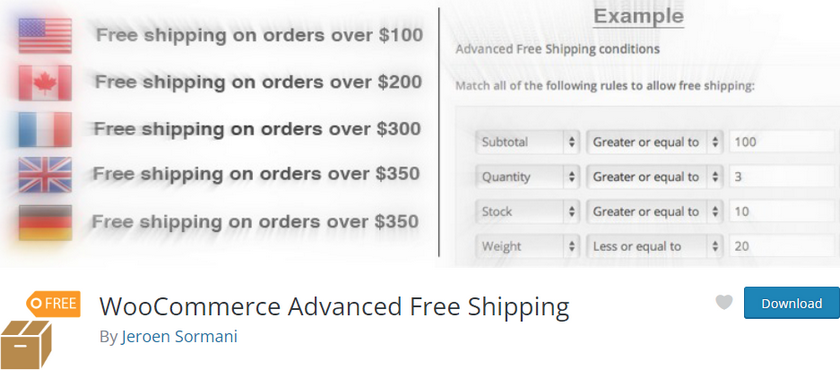
WooCommerce Advanced Free Shipping is one of the best free WooCommerce shipping plugins that allows you to define multiple shipping rules. They can be used with various conditions ranging from user roles to subtotals, quantity, zip code, category, and much more.
Moreover, you can even combine various rules using OR/AND condition groups so you can cover all your bases when you’re creating your shipping options. For example, you can provide conditional free shipping to users with multiple roles when the cart total is over a certain amount. Similarly, free shipping can also be provided to the users of a specific country when the cart weight is under a certain value.
Additionally, the plugin also lets you add fees and taxes directly to your shipping charges. You can also add shipping costs per item or per weight(per kg or otherwise for example) and even add extra handling fees. The shipping zones can also be created with different shipping rules or even set up with percentage-based fees based on your shipping rules.
Key features:
- Easy to add and configure shipping rules based on shipping conditions.
- Flexible fee options with both flat shipping rates and percentage fees
- Options to add specific handling fees, different tax rates, shipping zones, shipping classes, and more
- Combine multiple shipping rules and shipping zone configurations to provide a flexible shipping option
Pricing:
You can enjoy WooCommerce Advanced Free Shipping for free with no optional pro versions.
4) Table Rate Shipping
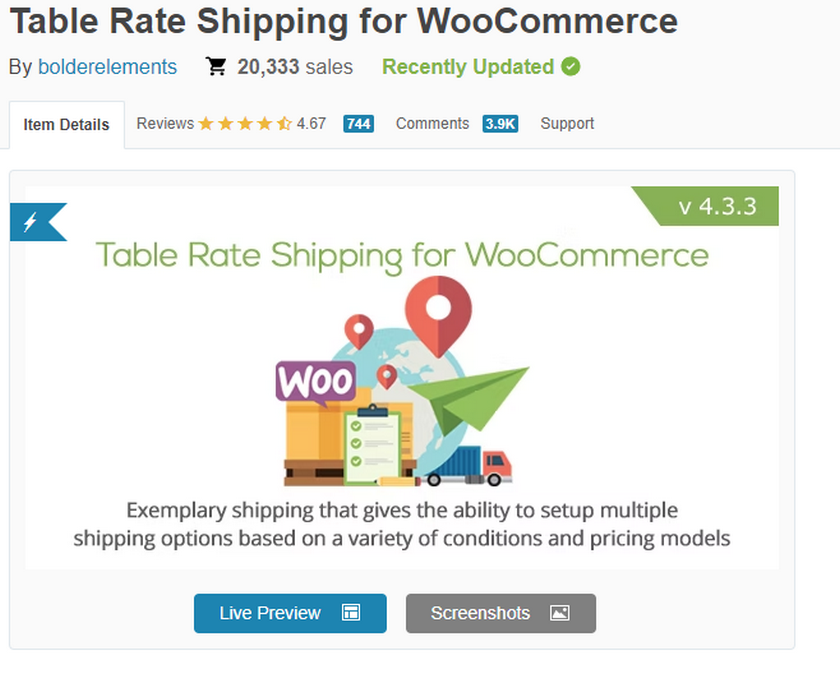
Table Rate Shipping is a premium plugin designed to take away all the complexity of setting up your WooCommerce shipping rates. It provides you with multiple shipping method options, various unique conditions for each shipping method, flexible pricing options, and so on.
You can even set your unique rules differently; either per order, per item, or even on a per-class basis. This means that you can create different shipping rates for different products, individual orders, or cart line items. Moreover, you can even set a unique shipping class for specific products. These unique rules can be modified based on a wide range of conditions including order subtotal, weight, dimensions, category, date range, day of the week, and more.
On top of that, adding and customizing these options is also super easy. The plugin provides you with a shipping cost table that lets you add rows and columns to add and use more conditions. Of course, you can also set priorities for costs and conditions using this method. But if you want a full table rate shipping plugin that is extremely user-friendly, then this is easily one of the best WooCommerce shipping plugins out there.
Key features:
- Easy to use drag and drop shipping table interface
- Shipping table design that combines different conditions and rules to change shipping rates
- Multiple cost options for changing shipping rate
- Priorities for shipping rules based on user role
Pricing:
Table Rate Shipping can be purchased for the price of 25 USD for the regular license with 6 months of support and future updates.
5) ELEX EasyPost Free

ELEX EasyPost Free lets you easily integrate the EasyPost Shipping API with your WooCommerce store. Then, you can enable shipping and shipping rates directly from FedEx, UPS, and USPS to your WooCommerce checkout page. Along with it, your customers will receive live shipping rates directly from FedEx, UPS, and USPS when they choose their shipping methods.
The plugin comes with options to set a fallback rate in case there’s an error with the shipping rate for any of the services. You can also change rates from residential or commercial depending on the products and the volume of products you sell.
Furthermore, you can also create and customize your shipping method and integrate them with a huge list of services provided by the EasyPost API. This includes everything from priority rates to dedicated FedEx services. Therefore, your customers can enjoy premium options for their shipping directly from FedEx, UPS, and USPS and easily access rates that are pulled live from these services.
Key features:
- Provides Live Shipping rates from FedEx, UPS, and USPS along with a shipping calculator
- Set fallback rates and enable/disable premium shipping options
- Custom box packing options, package insurance fees, and handling costs
- Change commercial or residential rates depending on the products
Pricing:
ELEX EasyPostFree is a free plugin with an extended version of the plugin starting at 69 USD per year for a single site. The premium version includes a 30-day money-back guarantee and 1 year of support and updates.
6) AfterShip WooCommerce Tracking
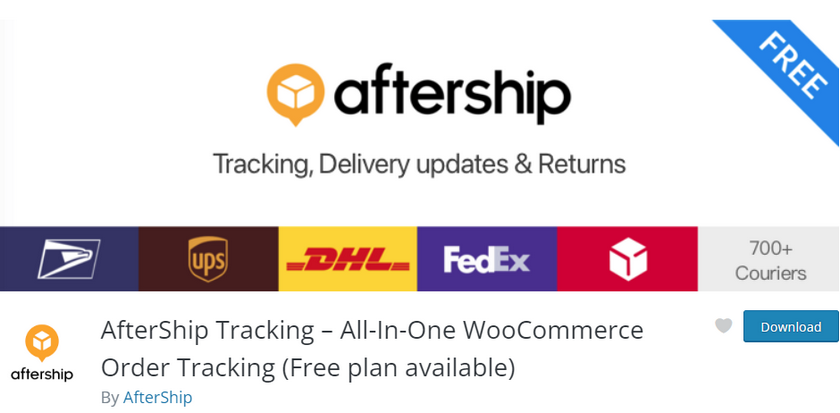
AfterShip Tracking lets you enhance the shipping and checkout experience by providing them with accurate tracking data for your shipments. You can provide customers with expected delivery dates as well as promised delivery dates that can be monitored and customized directly from your backend. Similarly, different delivery expectations for different shipping methods can also be set along with 7 different tracking statuses to keep track of your shipments.
The plugin lets you connect to over 900+ worldwide shipping providers and also enables email and SMS notifications integrated with them. You can automatically send status updates to your customers as their products are shipped or provide them with their AfterShip tracking link directly. Internal notifications can also be sent to you or build email workflows and templates to inform your customers.
Additionally, It also lets you create unique tracking pages for each shipment/order. Logo, SEO content, and business details can be added alongside the tracking information as well. This way, your customers can also track their shipments directly from your website.
Key features:
- Provides tracking data and delivery dates from Shipping services to your website frontend and backend
- Available connection with over 900+ shipping services like Aramex, DHL, FedEx, and more
- Customizable shipment tracking pages with SMS notifications and emails with tracking links
- Add promised delivery dates for shipping and a dedicated page for customer shipping
Pricing:
AfterShip WooCommerce Tracking is completely free to use.
7) WooCommerce Conditional

WooCommerce Conditional is a fully premium WooCommerce shipping plugin that lets you show or hide shipping methods based on specific conditions and rules. These conditions can be applied per product, per product category, or based on the shipping class. This also means that you can create unique shipping classes and add only specific products to them so you can provide different shipping methods for them specifically.
Similarly, the plugin also lets you set rules to account for cart totals, product weight, and item quantity. The shipping methods can also be restricted or allowed based on whether or not your customers use coupon codes, buy subscription products or have specific user roles. You can even restrict/allow payment gateways depending on the same rules along with the additions of location, country, currency, etc.
Moreover, you can also set shipping restrictions for specific countries if you’d like. The plugin helps you cover all grounds when it comes to shipping locations and cart contents. It also provides specific shipping methods to your customers.
Key features:
- Create and apply condition rules to provide different shipping options based on various rules
- Restrict payment methods based on checkout details and cart items
- Setup payment and shipping restrictions for specific places
- Payment restrictions for subscriptions and add free shipping for subscriptions
Pricing:
WooCommerce Conditional comes at a premium price of 79 USD per year. It includes 1 year of support and updates and a 30-day money-back guarantee.
Conclusion:
And that ends our list of the best WooCommerce shipping plugins. Remember that shipping bonuses, free shipping, and smoother checkout processes are important parts of improving your conversion rates.
Depending on the scale of your store, using one of these plugins can be crucial to help you manage and optimize your shipping methods. We’d highly recommend testing out some of the free options such as flexible shipping to see how well you can optimize your shipping rates. If you are not satisfied with the free options, you can always upgrade to the pro version or use a completely premium plugin altogether.
Similarly, there’s more to improving your conversions and checkout experience than just adding more flexible shipping methods. We recommend starting with some of these articles so you can start improving your profits ASAP:
