

Frequently Asked Questions
Perfect WooCommerce Brands is an excellent tool to improve customer experience on your site. It allows you to customize your products adding brands’ details.
Some of its main features are:
- Possibility to display brands on product descriptions, including text, logos, and short descriptions.
- Create Brands as WooCommerce filters.
- Display brands on a page and in carousel elements.
For more details about all Perfect WooCommerce Brands’ features click here.
Check out the demo to see the features in action.
There are two possibilities to install Perfect WooCommerce Brands.
- Download the plugin from our site and load the file to your WordPress using FTP client.
- From the WordPress Dashboard, go to the Plugins tab. Then look for Perfect WooCommerce Brands, and install it.
We recommend you install the plugin from the WordPress dashboard. It’s easier and it will keep the plugin updated.
Do you need more information? Check out a step-by-step installation guide.
With Perfect WooCommerce Brands, you can create brands as product attributes. To add a new brand, follow these steps.
- Go to Products > Brands.
- Complete the form.
- Click the Add New Brand button.
To check out all the possibilities, have a look at the documentation.
In your admin panel, go to WooCommerce > Settings tab. Once there, explore the brands.
Start configuring the brands’ general settings and then upload a logo or custom element.
To add new brands, go to Products > Brands, fill in the form, and click the Add New Brand button.
For more information, check out the documentation.
Yes, you can! Using Perfect WooCommerce Brands is very simple. When you are editing the products, you can select a brand and how to present it.
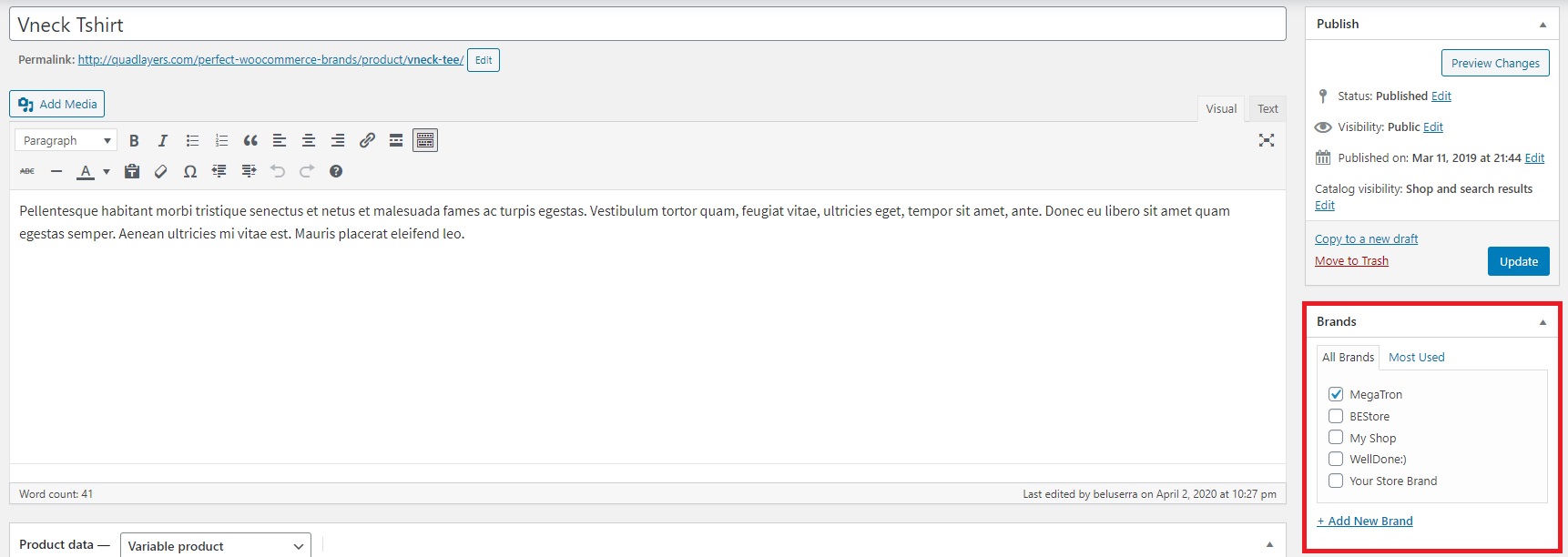 For more information, check out the documentation.
Perfect WooCommerce Brands allows you to export and import brand details from different sites.
- Go to WooCommerce > Brands > Tools.
- Click the Import Brands button.
- Select the plugin in the list.
For more information, check out the documentation HERE.
Perfect WooCommerce Brands works mainly using shortcodes. To display brands on a carousel, you can use the following shortcode.
[pwb-product-carousel brand="all" products="10" products_to_show="5" products_to_scroll="1" autoplay="true"]
More information about all the parameters and shortcodes HERE.
No, it is not possible as an input option in the admin panel.
However, it is possible to delete it including the following custom CSS code on your site.
#tab-title-pwb_tab {

display: none;

}
Check out all the available features and options HERE.
Currently, it is not possible to change the tabs name via the plugin settings. However, it is possible to delete it adding the following custom CSS code to your site.
#tab-title-pwb_tab a {

font-size:0;

}
#tab-title-pwb_tab a:after {

content: 'Custom Title';

font-size:16px;

}
More information on all the available features and options HERE.
A shortcode is a small piece of code, indicated by brackets like [this], that performs a dedicated function on your site. You can place it in any post or page on your WordPress site.
Don’t worry, you don’t have to code anything! We’ve prepared a list of shortcodes that you can use to display your brands. You only have to identify the function you need and set the preferences for every parameter.
Check out the documentation to see all the possibilities and step-by-step explanations.
