
Documentation
WooCommerce Perfect Brands

Products

Brands settings for Product customization

First, go to WooCommerce dashboard > Settings >Brands to access the plugin configuration.

Under the Single Product section, you will find different options to:

  1. Display a brand on a product page.
  2. Select alternatives for Brand information, as a link or image.
  3. Where to display the brand.
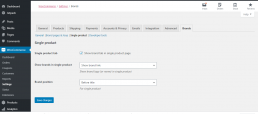
Perfect WooCommerce Brands Product settings

Can’t find the anwser?

Our docs solve most issues, but sometimes you need a human. If you’re still stuck, we’re just a message away.

Looking for support?

Premium users can log in to their account for priority support and a response in under 6 business hours (Mon–Fri).

Free users can submit a support ticket and we’ll reply within 24 h.

Log into your account
Forgot your password?