


Best WooCommerce Product Filter Plugins: Top 6
Are you looking for the best tools to add product filters to your store? You have come to the right place! In this article, we will have a look at the best 6 WooCommerce product filter plugins.
Before we go into the details of each plugin, let’s better understand why you should add product filters to your eCommerce store.
Why Use Product Filter Plugins in WooCommerce?
Having product filters in your store can be a key factor to improve your customer’s shopping experience. Nowadays, most online stores contain a large number of products. Even though one might think that the more options the better, from a customer’s viewpoint, it can be difficult to find the item you’re looking for.
That’s where product filters come into play. Product filters help users discard all the unwanted results and only get the most relevant products for their search. This way, shoppers can find their desired product effortlessly as they will only see products that match the criteria they selected. By removing all the noise of other items, users can find what they’re looking for easily and get a better shopping experience.
Considering how much competition there is currently on the Internet, customers must be able to find their desired product quickly. Otherwise, they are likely to leave your store and go somewhere else.
That’s why product filters are a must for any online store that has a decent number or a wide variety of products.
Now let’s have a look at our list of the best WooCommerce product filter plugins.
Best WooCommerce Product Filter Plugins
The best WooCommerce product filter plugins that we are going to discuss are:
- WOOF – WooCommerce Products Filter (Free and Premium)
- Advanced AJAX Product Filters (Free and Premium)
- YITH WooCommerce AJAX Product Filters (Free and Premium)
- Jet Smart Filters (Premium)
- WooCommerce Product Filter (Free and Premium)
- Themify WooCommerce Product Filter (Free)
Let’s have a look at what each tool has to offer.
1. WOOF – WooCommerce Products Filter

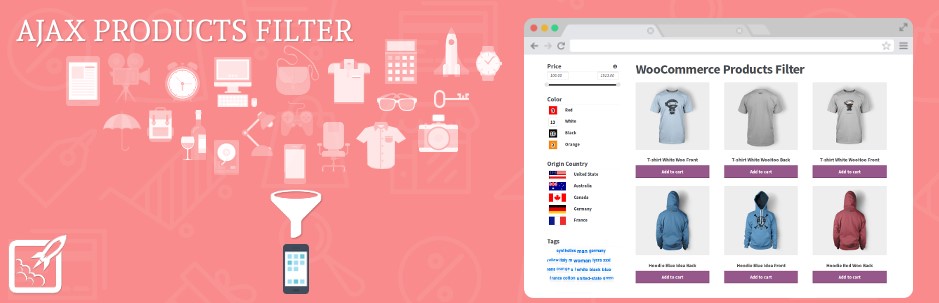
WOOF – WooCommerce Products Filter is a powerful plugin that enables you to add product filters to your online store. It comes with many features you need to offer your customers a great shopping experience.
This tool also comes with a widget that you can add to any of your widget areas to display all your created product filters. On top of that, to show the product filters outside the regular widget areas, you can use shortcodes.
Moreover, the plugin supports AJAX filters. This means that the filters are applied instantly without refreshing the page. Additionally, there is an AJAX product search bar that lets customers search for products using a keyword. Due to the use of AJAX, search results are shown immediately without having to reload the page making the experience much better.
Furthermore, with the premium version, you get advanced filters such as SKU, color, image, slider taxonomies, and more. Lastly, WOOF also allows you to collect statistical data about the search queries made by your customers. That way, you can get valuable insights that can help you increase the effectiveness of your business.
Features
- Widget and shortcodes to display the product filters anywhere on your site
- AJAX product search that allows the filters to be applied without refreshing the page
- Display the filters as radio, checkbox, drop-down menus, color, image, and more
- Filter products for a specific keyword
- Multiple product filters including, price, color, ratings, SKU, and many others
- Saving searched queries so users can enable them with a single click next time
- Collect statistical data of search queries made by your customers
Pricing
WOOF – WooCommerce comes in both free and paid versions. The free version comes with basic features, while the premium plan starts at 39 USD.
2. Advanced AJAX Product Filters
Advanced AJAX Product Filters is another feature-rich plugin that does everything it is supposed to do. You can create unlimited filters, place them anywhere on your site via widgets or shortcodes, customize them to match your site theme, and much more.
As the name suggests, the AJAX filters are applied immediately without refreshing the page. You can create filters for product attributes, categories, sub-categories, availability, price, rating, and many others.
Additionally, the plugin comes with SEO-friendly URLs. This means that the URL will be updated according to the filters users apply, which is a bonus for SEO. Moreover, the plugin offers better compatibility with different page builders like Elementor, Divi, and Beaver Builder.
On the customization front, Advanced AJAX offers a wide range of options. There are various filter styles that you can choose from including checkbox, color, image, sliders, and more. Additionally, you can add your own CSS styles.
Features
- AJAX product filters
- Support for page builders such as Elementor, Divi, and Beaver Builder
- URLs update according to applied filters which give an SEO boost
- Highly customizable with the possibility to add your own CSS code
Pricing
This is a freemium plugin. You can enjoy the main features for free, but if you want more advanced functionalities, you need to purchase one of their premium plans that start at 44 USD. There is also a 30-day money-back guarantee in case you don’t like the product.
3. YITH WooCommerce AJAX Product Filter
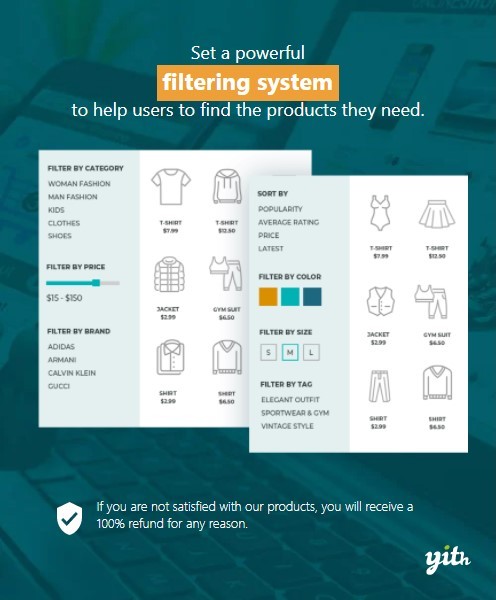
YITH WooCommerce AJAX is another of the best WooCommerce product filter plugins. This freemium tool comes with lots of features to take your product filters game to the next level.
With this plugin, you can create unlimited filters and display them anywhere on your site using widgets or shortcodes. There is also a default filter preset that contains all the available filters and allows you to set up your own filter preset in no time.
Talking about the filters, the filter library is vast, and you can find a filter for almost anything you may need. You can enable the filters to work in AJAX to apply changes instantly. Active filters are displayed separately, and you can reset them just with a single click.
For SEO purposes, YITH WooCommerce AJAX allows you to index the filter URLs and use customized permalinks for active filters. Moreover, the plugin shows filters in modal view on smartphones and tablets. This can come in handy since nowadays most users browse the web on mobile devices.
In terms of customization options, you can customize the filter area background, text, accent colors, and the AJAX loader. Lastly, you can display filters either vertically or as a horizontal bar on top of the page.
Features
- Create unlimited filters and display them anywhere on your site
- Vast filter library
- Apply AJAX filters instantly
- Customize permalinks and index filter URLs for better SEO optimization
- Modal view for smartphones and tablets
- Horizontal filters toolbar
Pricing
YITH WooCommerce AJAX Product Filter is a freemium plugin. The free version has limited functionality but may be enough if you want something simple. If you want more advanced features, you need to purchase the premium plan that will set you back 89.99 USD per year. Keep in mind that there’s a 30-day money-back guarantee, so you can get a full refund if you aren’t happy with the product.
4. Jet Smart Filters
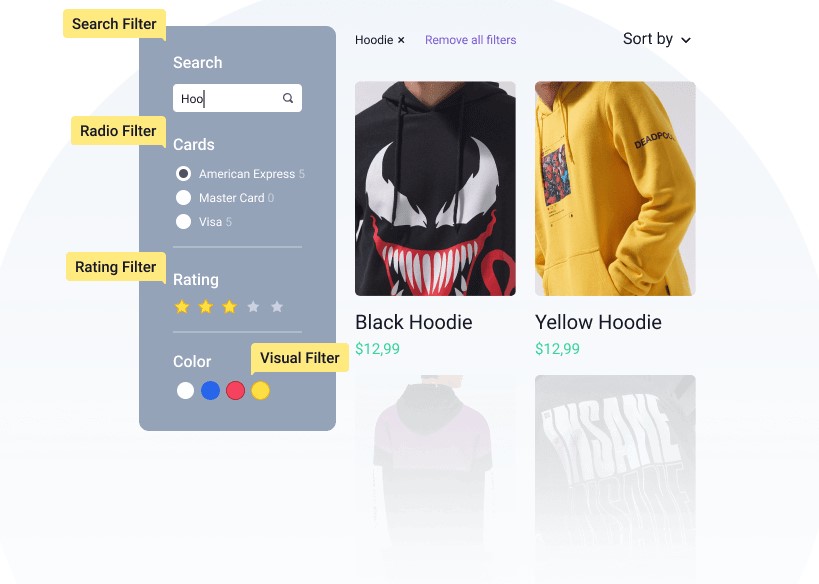
Jet Smart Filters is an excellent tool that works with both the Gutenberg editor and the Elementor page builder. The plugin comes with 17 filter types with a few additional widgets to display active filters, reset button, apply button, and more.
With this plugin, you can create and modify filters, display them anywhere on your site, and a lot more. This tool is easy to use and works seamlessly with Gutenberg, Elementor, ACF, WooCommerce, Jet Engine, and Jet WooBuilder.
Unlike the rest of the plugins on our list, Jet Smart Filters comes with an indexer. The indexer displays the number of results available corresponding to each filter entry. Additionally, there is a dynamic search system that allows customers to search for a specific keyword, along with multiple filters. All the filters are AJAX powered which ensures a smooth experience.
Another cool feature of this plugin is the hierarchical filter system that follows a hierarchy of filters applied one after the other. For example, for a car dealership, the hierarchy could be category > brand > model. Following this hierarchy, the customer first needs to select the category, then the brand, and then the model of the car.
Finally, the plugin is highly customizable and lets you create elegant filters that match the overall look and feel of your website.
Features
- Compatible with Gutenberg and Elementor page builder
- Indexer that displays the number of results against each filter
- Dynamic search system
- Hierarchical filter system
- Highly customizable
Pricing
Jet Smart Plugins is a premium plugin that starts at 24 USD per year for a single site. It includes a 30-day money-back guarantee in case you are not satisfied with the product.
5. WooCommerce Product Filter
WooCommerce Product Filter by WooBeWoo is another highly feature-rich plugin. It lets you create unlimited filters and customize them in your own way.
The plugin features a drag & drop form which makes creating new filters easy. The filters are AJAX powered, so they are applied instantly without having to refresh the page every time. There is also an AJAX live search option that enables customers to search for products using a keyword.
Similar to the Jet Smart Filters plugin, this one also supports the hierarchical filter system to filter products based on their hierarchy. Finally, this tool includes many customization options which is always a plus.
Features
- Drag and drop builder
- AJAX product filters
- AJAX live search
- Hierarchical filters system
- Highly customizable
Pricing
WooCommerce Product Filter is a freemium plugin. The free version comes with most of the basic filters, while the premium plans include more features and start at 49 USD for a single site.
6. Themify – WooCommerce Product Filter
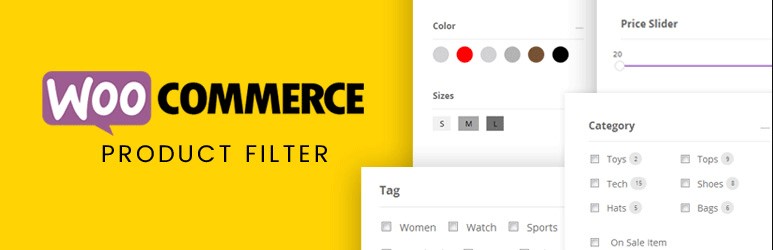
Themify – Product filter by Themify is another of the best WooCommerce product filter plugins you can find. Similar to the other tools on the list, Themify lets you create filters for price, attributes, brand, color, range, and many others.
The plugin features beautifully designed filters that complement the look of your website. It includes a drag and drop builder to easily create new filters and apply them instantly without reloading the page. Additionally, you can add an Apply Filters button if you want to display the results on a separate page.
Moreover, the filters are available in both horizontal and vertical layouts and there is also a live search results feature. Customers can select their query, and see their search results on a new page.
Finally, Themify is compatible with Divi and Elementor, making it an excellent option for those who use these popular page builders.
Features
- Drag and drop builder
- Horizontal and vertical filters layout
- Search widget to provide live results
- Compatible with Divi, Elementor, and Themify builder
- Beautiful design with great customizability
Pricing
This is a free plugin, so you can enjoy all the amazing features at no cost.
Conclusion
All in all, adding product filters to your WooCommerce store can significantly improve your customer experience. Using these filters, shoppers can discard all the unwanted results and see only products relevant to them. That way, they can make their purchase decision faster.
It’s no secret that a satisfied customer is one of the keys to success for any business. The more satisfied the customer, the more likely they are to come back to your store.
In this guide, we’ve seen some of the best WooCommerce product filter plugins for your store. But which one should you use?
In terms of all-around performance, WOOF and YITH WooCommerce Product Filters plugin are some of the best options. Both offer great functionalities, are highly customizable, and offer solid free plans. If you’re looking for more features, you can check out the premium plans or have a look at Advanced AJAX Product Filters which includes advanced functionalities.
On the other hand, if you don’t need any advanced options and prefer the look and feel of the filters, then Jet Smart Plugins is a good choice. It has elegant filters and comes with great features.
Lastly, if price is your main concern, then Themify or any of the other free options are your best bet.
Have you tried any of these plugins? Do you know of any other that we should include? Let us know in the comments section below.

This is an interesting article. All these plugins are really awesome. Can you suggest me one plugin for my small organic shop? If you suggest it will be helping me to the right plugin choose. Thanks..
Hi Matthew, Thank you for writing back to us. I am glad you liked the article.
Coming to your question, it totally depends on your requirements. You may need to experiment with different plugins and see which one best suits your needs. There is no right or wrong here. All the plugins on the list offer great functionality, so you can’t go wrong with any of these. You can, for instance, start with Themify as it’s free and see if it meets your requirements. If not, you can try some other plugin from the list, and so on.
Wish you all the best in your venture!
We’ve developed WooSearch Product Search & Filters which we feel would be suitable for this list.
If you’re interested in reviewing it, send us an email with your contact info
Hi Mike, please write to us at [email protected] and we’ll get in touch with you!