
Documentation
WooCommerce Direct Checkout

General

The options in the General Tab allow you to change the default behavior of the Add to Cart button.
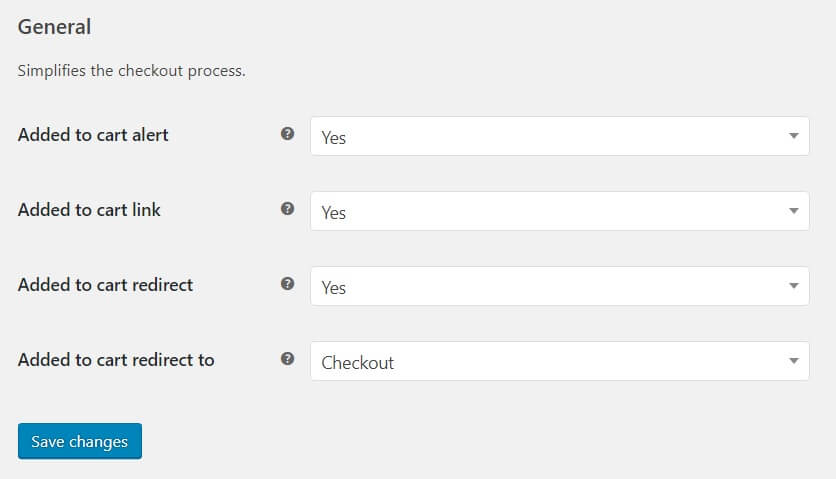
WooCommerce Direct Checkout General Tab

Added to cart alert

Replace the Added to cart link of the alerts with a direct link to the checkout page.

Added to cart link

Replace the Added to cart link of the alerts with a direct link to the checkout page.

WooCommerce Direct Checkout added to cart link

Added to cart redirect

Automatically redirect users to the checkout page, the cart page, or a custom URL after they have added items to the cart.
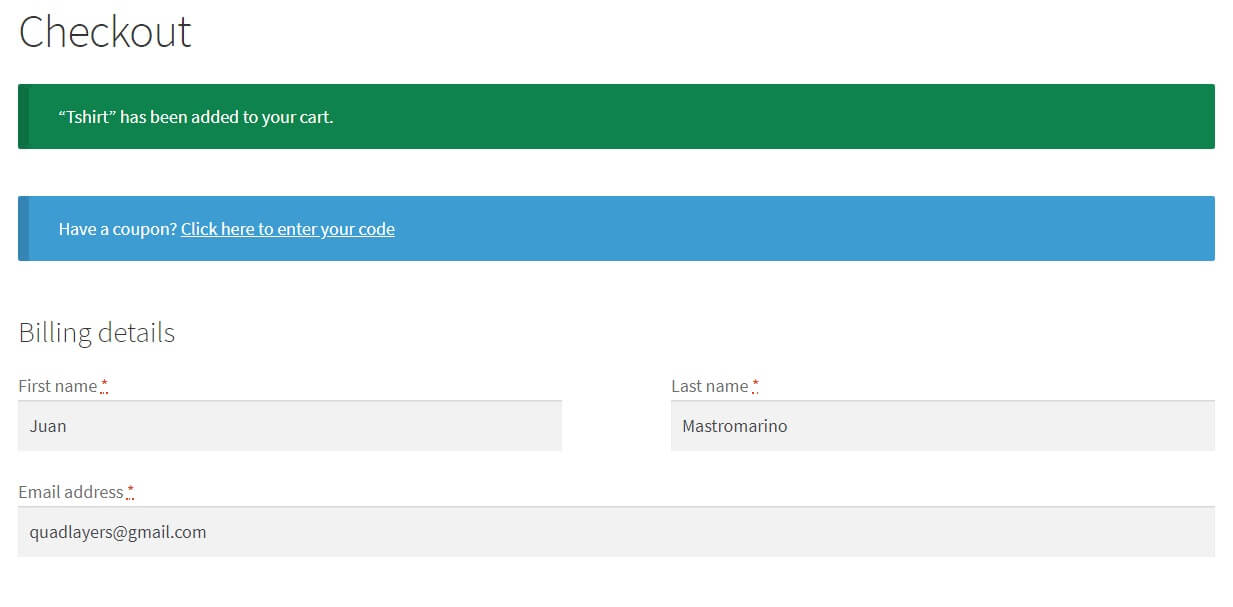
WooCommerce Direct Checkout redirect

Can’t find the anwser?

Our docs solve most issues, but sometimes you need a human. If you’re still stuck, we’re just a message away.

Looking for support?

Premium users can log in to their account for priority support and a response in under 6 business hours (Mon–Fri).

Free users can submit a support ticket and we’ll reply within 24 h.

Log into your account
Forgot your password?