
Documentation
WooCommerce Checkout Manager

Conditional

Adding conditional fields

Checkout Manager for WooCommerce supports conditional checkout fields allowing you to show/hide those fields based on the value of the parent field.

Conditional parent

Select the conditional parent field and hide the current field based on the parent value.
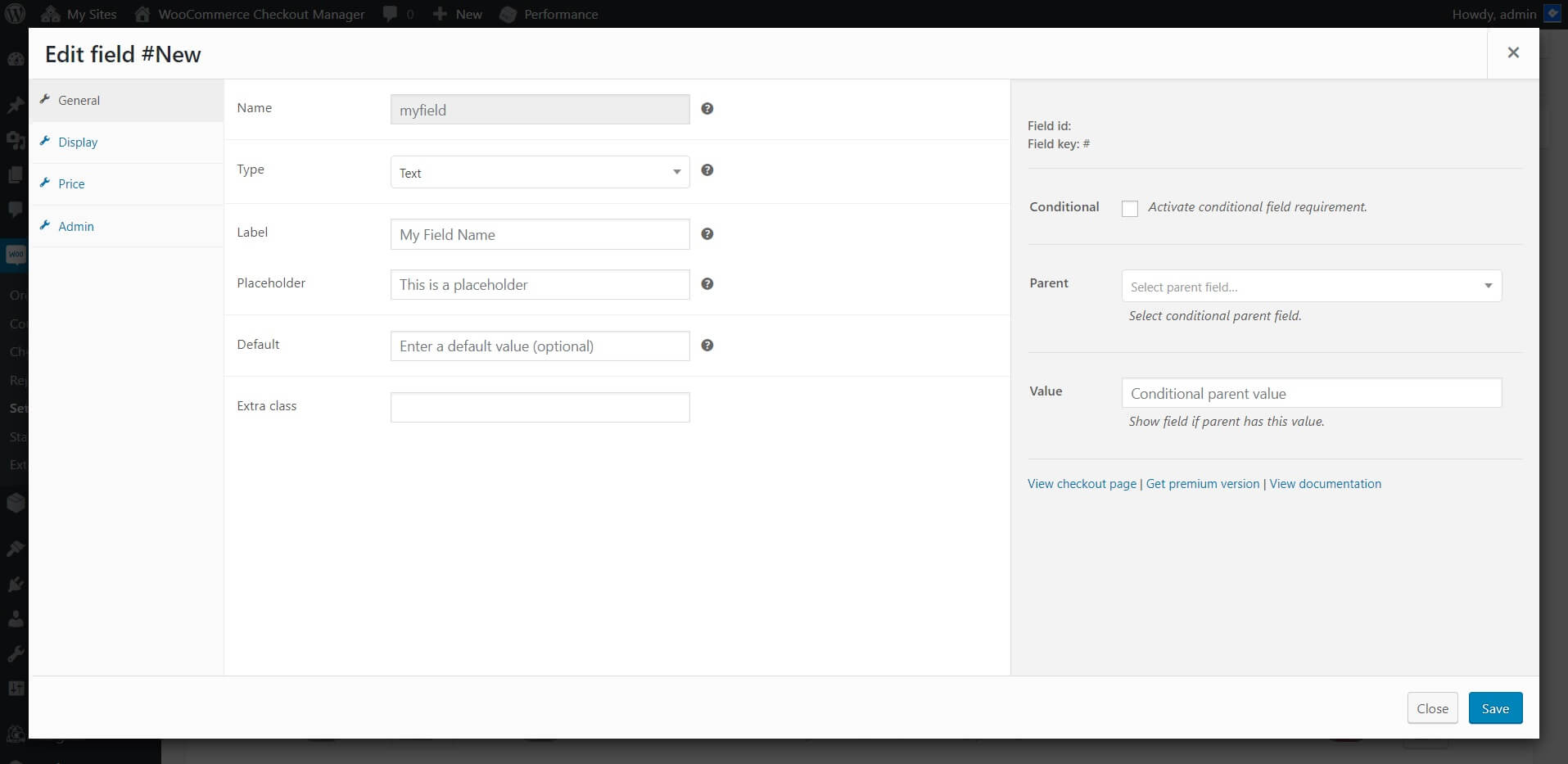
WooCommerce Checkout Manager Add new field

Conditional parent value

Checkout Manager detects the parent field type and allows you to select the value based on the available options.

WooCommerce Checkout Manager conditional fields

Can’t find the anwser?

Our docs solve most issues, but sometimes you need a human. If you’re still stuck, we’re just a message away.

Looking for support?

Premium users can log in to their account for priority support and a response in under 6 business hours (Mon–Fri).

Free users can submit a support ticket and we’ll reply within 24 h.

Log into your account
Forgot your password?