


Best 7 WordPress Emoji Reaction Plugins
If you are looking for WordPress Emoji Reaction plugins to give your readers a fantastic user experience and want to get their feedback quickly, you are at the right place. This article lists the 7 best plugins to help you find the one that meets your site requirements.
What Are WordPress Emoji Reaction Plugins?
WordPress Emoji Reaction plugins are tools that increase the user experience of your WordPress site by giving users an exciting option to quickly express their emotions toward posts or comments. This gives you a better picture of readers’ feelings about your content. You can always add a comment box for users to leave reviews. You can also add feedback forms for users. However, emojis are a quick one-click solution, so most readers will not hesitate to provide feedback about your content. And in return, you can improve the quality of your content.
What to Look for In WordPress Emoji Reaction Plugins?
Before selecting one, it would be best to look for different factors in WordPress Emoji Reaction plugins.
- Ease-to-use: The plugin should be user-friendly, with an intuitive interface for both administrators and visitors.
- Compatibility: It should also be compatible with the latest version of WordPress and other plugins and themes that you are using.
- Customization: The plugin should have good customization options to match your site design and requirements.
- Integration: Consider how well the plugin integrates with your site’s existing content. Integration with popular plugins like WooCommerce or BuddyPress is important for running an eCommerce store or a community site.
- Lightweight: A plugin should be lightweight and not impact your site performance negatively.
- Features: It should have features like lead generation, social share integration, feedback collection, and analytics tracking.
- Cost: Cost is an important factor before selecting a plugin. The plugin should be cheap and have maximum features.
Best 7 WordPress Emoji Reaction Plugins
Here are 7 WordPress Emoji Reaction plugins that we have selected for you.
- WP Reactions
- DW Reactions Pro
- Remoji
- ShareThis Reaction Buttons Plugin
- Da Reactions
- Native Emoji
- React and share
Without further delay, let’s begin with the first one.
1. WP Reactions
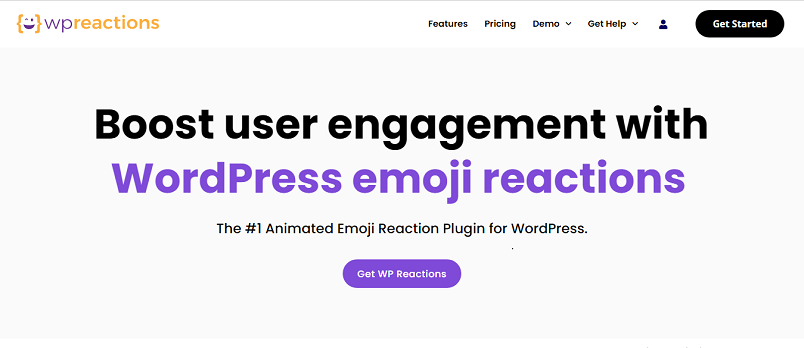
WP Reactions is another excellent emoji reaction plugin that increases social sharing and user engagement. It is best for creators, bloggers, business people, and educators who want to understand audience reactions to their content. This plugin offers a variety of emoji reactions and can integrate with WordPress easily. You will get customer feedback whenever they click on an emoji and can also start monetizing content.
WP Reactions empowers its users with 200 high-quality animated emoji reactions and allows them to upload custom reactions. Furthermore, the analytics dashboard provides deep insights into user sentiments. The plugin also offers customizable reaction templates, allowing you to tailor the user experience with a simple drag-and-drop feature and a color picker.
WP Reactions is easy to set up, and no coding skills are required to give you a hassle-free experience. Each emoji is legal; you can use it anywhere on your site. In addition, you will have 20+ integrations, including WooCommerce, Elementor, and other caching plugins.
Features
- One-click activation
- Collect user emotional data
- Improved SEO
- Easy setup
- 14 SVG and 14 Lottie Animated Emojis
- Excellent customer support
Pricing
WP Reactions is a premium plugin that you can download from their official website.
2. DW Reactions Pro
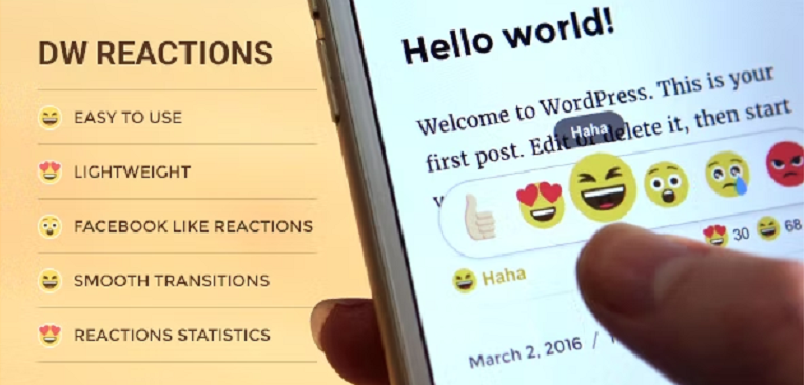
DW Reactions Pro is a premium and one of the best WordPress Emoji reaction plugins. An emoji is a person’s reaction or feeling on a blog or post, just like a “like” button. This plugin will help users show their feelings on the WordPress site. Moreover, it will give you reaction stats showing historical data of emotional responses to the post. With this feature, you can track customer response to your products.
Additionally, DW Reactions Pro uses Facebook’s UX design. You can view and experience other reactions on different devices, such as mobile, desktop, laptop, or tablet. Its UX design also gives a great user experience on different devices.
You will also get multiple styles and can show the most reaction widgets on the sidebar.
Features
- Great user experience
- Flexible usage
- Shortcode & PHP Functions supported
- Documents and support
- Reactions statistics
Pricing
DW Reactions Pro is a premium plugin and costs $18 (one-time fee). You can download it from CodeCanyon.
3. Remoji
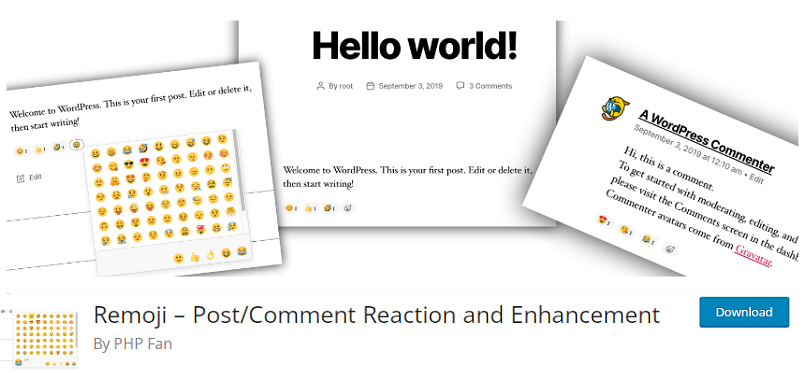
If you are looking for free and versatile WordPress emoji reaction plugins, Remoji is an excellent choice. It is a user-friendly plugin that allows you to add emoji reactions to make your website more attractive. Post View Counter is an excellent feature of this plugin. This feature counts views, excluding bots, to better understand human interaction in content.
Remoji is a plugin that puts you in the driver’s seat. It’s compatible with all cache plugins, and with widgets like the Most Viewed and Recent Reacted Emoji Post, you can take control of your content’s presentation. You also have the power to disable comments on selected posts and manage where users can engage on your site.
Remoji allows you to choose whether only logged-in users can leave reactions or if visitors can also. It is a safe choice because of its GDPR compliance with IP obfuscation. You can also use shortcodes that allow customization and integration within your site’s plugins and themes.
Features
- Disable comments
- Post View Counter
- GDPR Compliance
- Most Viewed widget and Recent Reacted Emoji Post widget
- Shortcode support
Pricing
Remoji is a free plugin; you can download it from the WordPress plugin directory.
4. Reaction Buttons
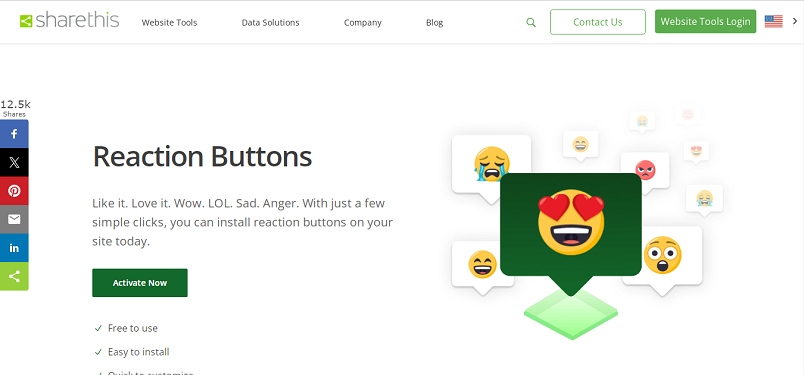
Reaction Buttons is a free and easy-to-use open-source plugin that allows visitors to share their feelings about your content quickly. Visitors can use different simple reactions, including wow, love, like, sad, anger, and lol.
Reaction Buttons is a customizable plugin. It allows you to customize emoji reactions according to your audience. It is also user-friendly and mobile responsive, working perfectly on different mobile devices.
This plugin is designed to cater to a diverse audience. With its Multilanguage support, you can choose from 7 different languages, ensuring an inclusive and amazing experience for your visitors. These emoji reactions will give you simple and informative insights into your visitors’ feelings about your content, helping you improve user engagement.
Features
- Free to use
- Customizable
- Mobile optimized
- Multilanguage support
- Analytics
Pricing
Reaction Buttons is a free plugin, and you can download it from their official website.
5. Da Reactions
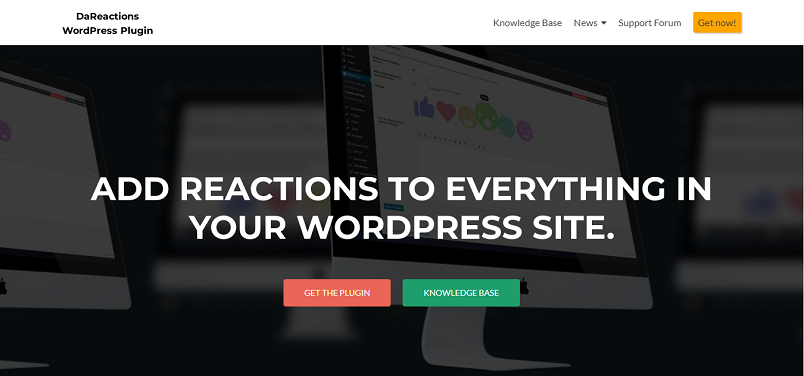
Da Reactions is another of the best WordPress emoji reaction plugins. It is a freemium plugin for adding unique emoji reactions to your site. You can add reactions to pages, posts, comments, attachments, archives, single-view topics, and replies with this plugin. After the installation, Da Reactions automatically applies emoji reactions along with the option of control over specific posts and device types. You can also use shortcodes to show emoji reactions on your site.
Da Reactions offers six animated reactions, including love, care, wow, like, angry, and sad. This highly customizable plugin puts you in the driver’s seat, allowing you to change the color and size of every icon. You can also add, remove, edit, and sort every single reaction. Plus, emoji reactions are responsive and support different display sizes.
For security reasons, you can ask visitors to log in before leaving any comments. Lastly, Da Reactions is also compatible with localization and is WPML-ready.
Features
- Supports BuddyPress and Woocommerce
- User filters
- Statistics and widgets
- 250 included royalty-free icons
- Compatible with localization
Pricing
Da Reactions offers both free and premium versions. You can download free version from WordPress plugin repository. The premium version costs $3.99/month.
6. Native Emoji
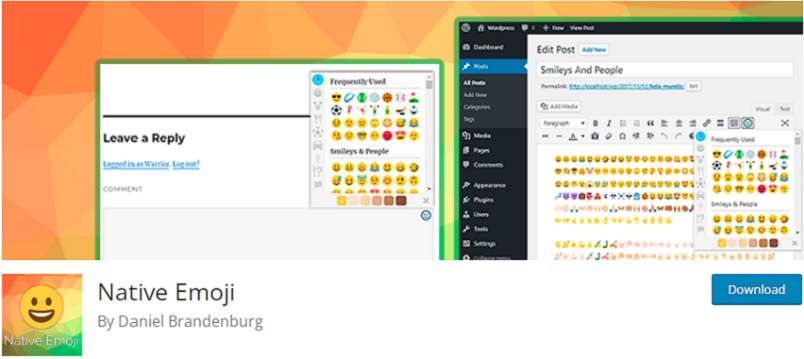
Native Emoji is an easy-to-use plugin with more than 2000 emojis. It supports any theme, custom post types, and front-end comments. With this plugin, you can natively use emojis. Moreover, if the operating system does not support emojis, this plugin will add an image instead of an emoji code.
Native Emoji is a helpful plugin that provides valuable insights into your website visitors’ feelings and reactions toward your content. With thousands of available emojis, visitors can easily choose the reaction emoji that best expresses their feelings.
Lastly, what’s great is that Native Emoji emojis work seamlessly on Android and iOS devices, so all your visitors can enjoy using them.
Features
- Easy to use
- 2000+ emojis
- iOS native emoji
- Android native emoji
Pricing
Native Emoji is a free plugin. You can download it from the WordPress plugin repository.
7. React & Share

React & Share is a simple WordPress Emoji reaction plugin that easily integrates with many WordPress themes. It is easy to install and configure. This plugin offers users fantastic experiences, a broad compatibility range, and support for recent web browsers.
React & Share allows you to add and customize reaction buttons to your site’s requirements. By providing a one-click feedback option, you can ease your readers’ concerns. You can also use shortcodes to manually place the emoji reactions and add them to page templates.
It provides valuable insights into your readers’ reactions, enhancing your understanding of their engagement. Additionally, this feedback will help you improve your content in the future.
Features
- Easy to install and configure
- Customizable reaction buttons
- One-click feedback
- Default button display
- Shortcodes
Pricing
React & Share is a free WordPress Emoji reaction plugin. You can download it from the WordPress plugin repository.
Conclusion
Emojis are the easiest way to engage your audience and learn their feelings about your content. In this article, we have listed 7 WordPress emoji reaction plugins to help you better understand them.
Each plugin listed here is easy to use and offers unique features to improve your user engagement. If you are starting from scratch then learning with a free plugin like Native Emoji would be a good idea. But, if you want to enjoy premium features, you can go with WP Reactions. But the choice is all yours and depends upon your site preferences.
Do you use any of these plugins?
Which plugin do you use?
Tell us in the comment section below.
If you need to learn more WordPress guides, check out our articles below:
